
 Türkçe (TR)
  English (UK)
  русский (RU)















































Read more +
WHAT IS WEBSITE?
A website is a collection of web pages (documents that are accessed through the Internet), such as the one you're looking at now...

Read more +
WEBSITE IS EXPENSIVE?
Several pages have outlined the cases had "the Website the most inexpensive advertising tool, "Our philosophy here...

Read more +
WHY YOU SHOULD HAVE A WEBSITE?
You will appear credible in the eyes of your prospects if you have a professional website. In other words, it boosts the overall image of your business...

WEB DESIGN SERVICES
- Content management systems
- Virtual shops and ecommerce
- Presentation websites
- Online catalogues
- Portal systems
- & any other dynamic website

MOBILE APPLICATION
- IOS & Android
- Visual Design
- Web Service Entegration
- Multilanguage
- Push Notifications
- Google Maps & Directions
- Support & Maintenance

INTERNET MARKETING
- Search engine optimisation
- Search engine marketing
- Internet advertising
- Web analysis
- Blog marketing
LATEST WORKS
Check our works and you can evaluate us how will offer you serious and professional references...




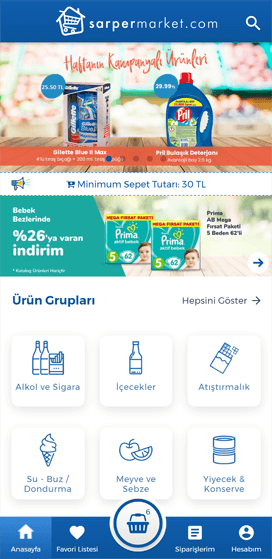
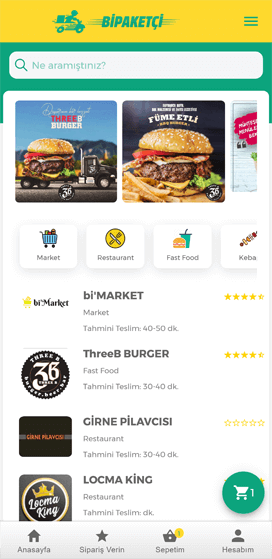




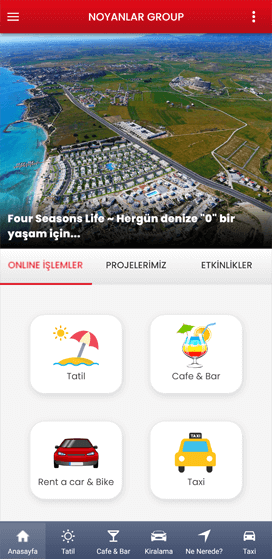



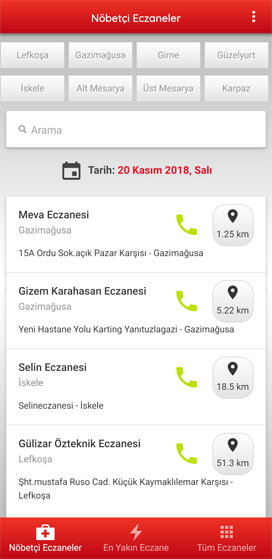







our working process in 3 steps
We provide affordable Website design, ecommerce, Web based applications, Creative designs and programming with search engine optimization and Internet marketing.

planning & strategy
When you meet your clients you are always polite and courteous and try to impress your clients to enhance your business.

design & develop
That is where we come in with our unique custom Web designs and fresh ideas.

test & deliver
Whatever ideas you have in mind, we can help you put them online.
WHY CHOOSE US?

100% CUSTOMER SATISFACTION
Any suggestions and opinions on the future of you are very precious to us ...

EASY TO USE
To make updates to your website through the dynamic and professional infrastructure is too easy...

BRANDING
Corporate identity is a website that provides the integrity, strengthen your brand image and brand awareness...

PROJECT & RISK MANAGEMENT
Advance before the start of the project team by reviewing all of the problems may arise in the future, prevent surprises you may encounter...

QUALITY WORKS
Let's make the most striking and most enduring means in the long run ads...

MULTILANGUAGE READY
You can use all of languages and extend the website's languages.

HTML5 & CSS3
Built with modern technologies like HTML5 and CSS3.

MODERNITY POLICY
A Web site should keep pace with the needs of today and the trends ...
5 Quick and Easy Ways to Optimise Your Website
Performance is something you don’t often think about. You assume that if it loads quickly enough for you then everyone’s happy. Someone commented a while back saying that it takes quite long for my pages to load so I optimised it a tad and thought I’d share a few quick tips with you.
1. Use CSS sprites
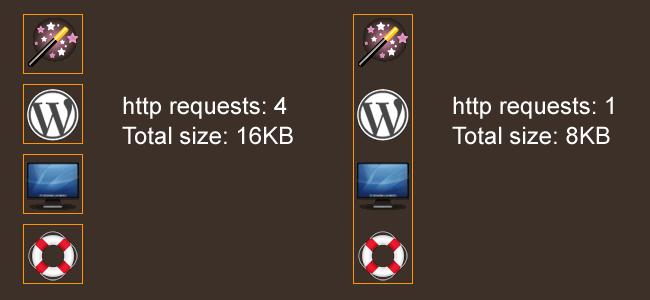
Rather than having multiple CSS background images for your page, you can use CSS sprites to combine multiple images into one graphic. This reduces overall filesize and the amount of HTTP requests.
Once you do this you can use CSS to control the background images.
#services ol li{background:url(images/homeicons.gif) no-repeat;}
#services ol li.design{background-position:0px -460px;}
And as you can see the size and http requests are reduced considerably.
2. Use an external CDN
A CDN is a content delivery network and it basically means use scripts that are hosted on other sites. Why? Because users might not have to download the script when they visit your site as it’s already cached.
Google has an AJAX Libraries API that you can use.
3. Install YSlow
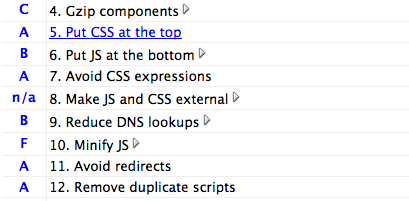
YSlow is a very useful optimisation tool for Firefox. YSlow will report on any page you load up and will give you information about the amount of HTTP requests, CDNs used, CSS and JS compression and will give you a grade for each and tell you how to improve the page so it loads quicker.
- First you need to install Firebug. YSlow runs alongside this add-on.
- Now install YSlow.
- Watch this screencast on how to use YSlow
4. Put JavaScript at the bottom
Put any JS requests that you can at the bottom of your code, allowing your content to load first. This includes any Twitter or Analytics requests. This way your site content can load before trying to load external JS files.
5. Optimise graphics for web
Save your images for the web in Photoshop and you can alter the image quality, reducing the file size considerably. Of course I’d like to think you were doing this already 
In Photoshop, File > Save for web & devices